
PrathmEx tutorials

See the workflow before you install.

Short, practical walkthroughs for the Windows tools in the PrathmEx family. Start with the SellerOne tutorial pack, then use the product guides to plan your first setup.

01 / FEATURED WALKTHROUGH

PrathmEx SellerOne

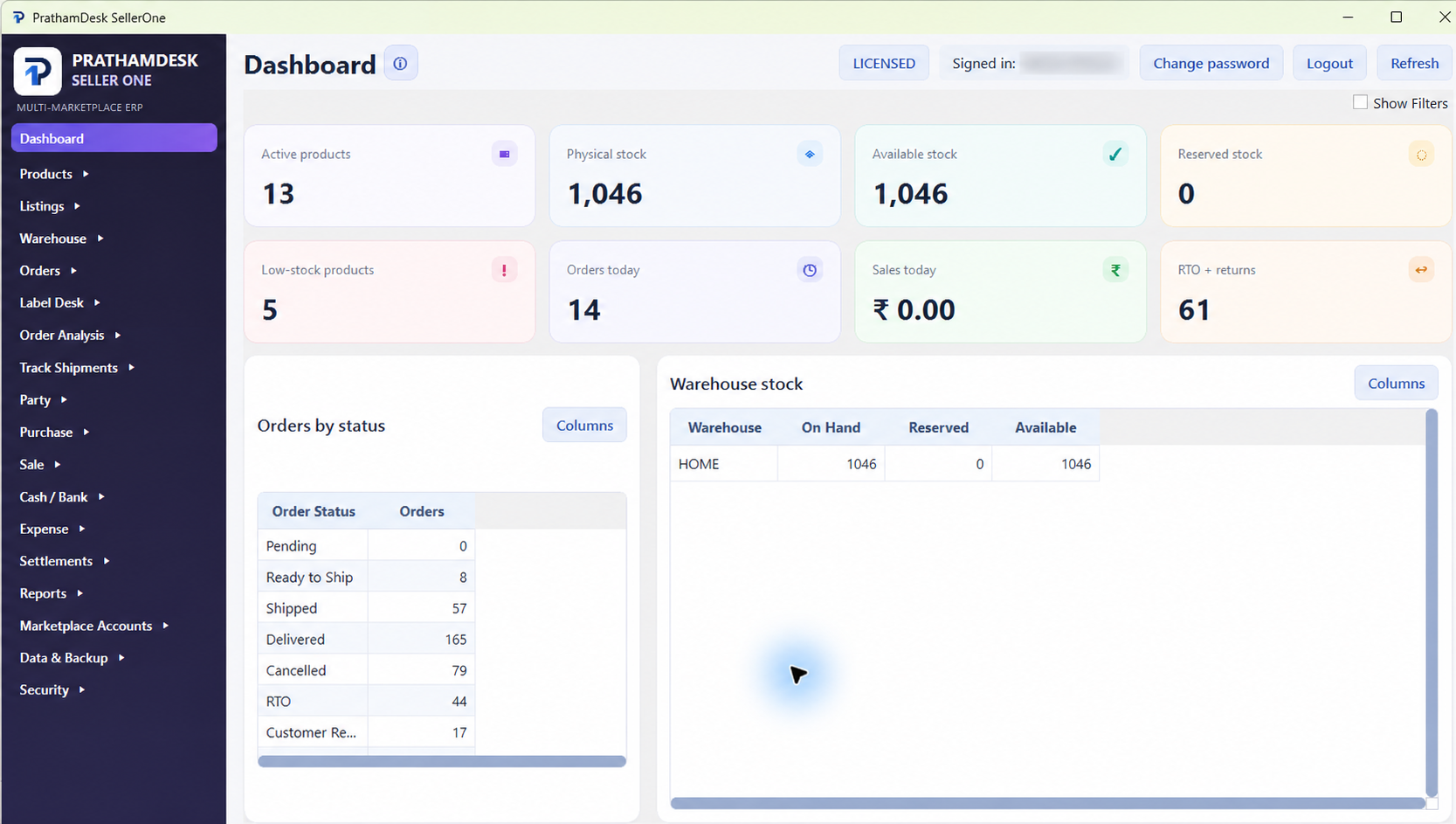
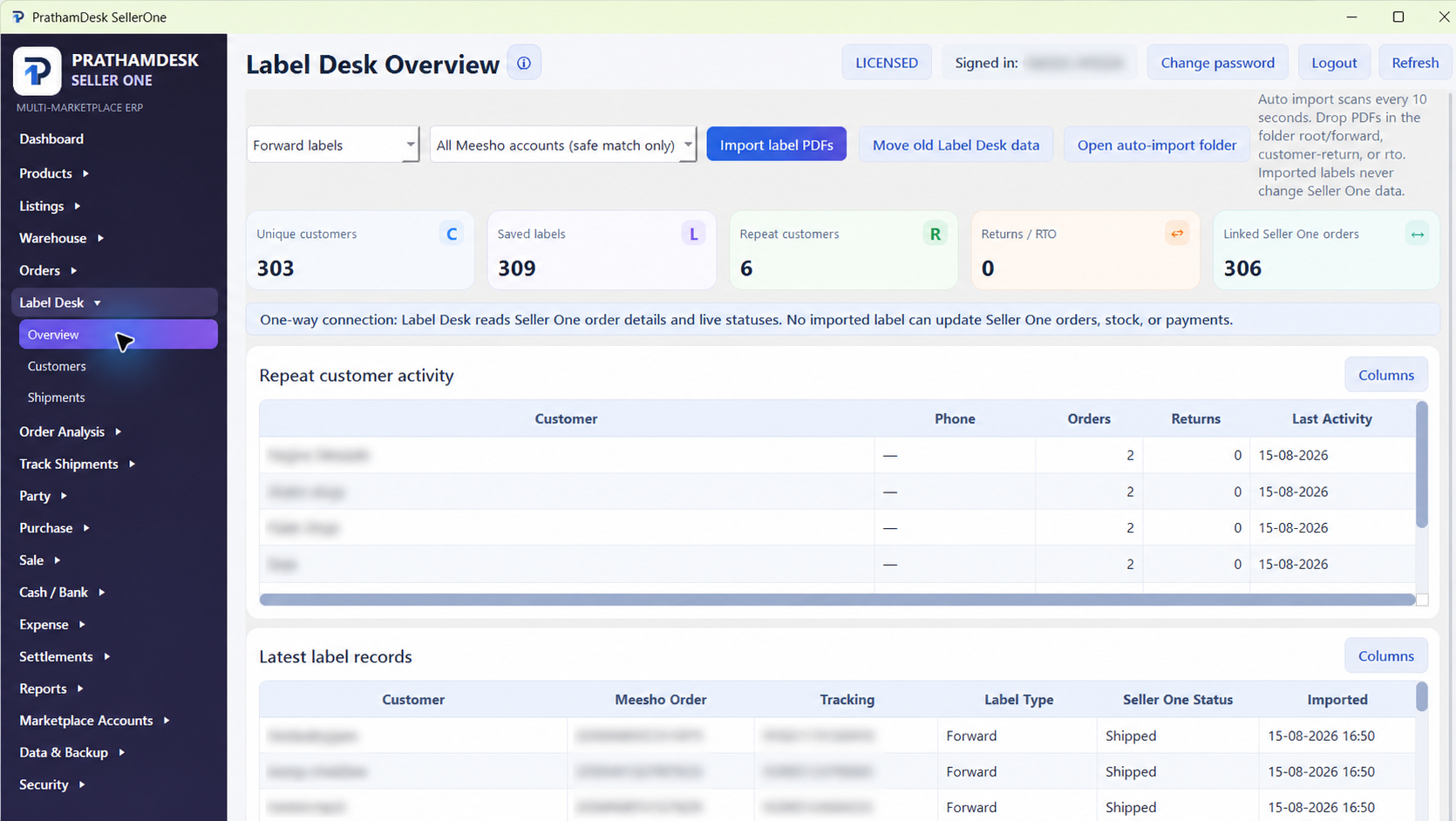
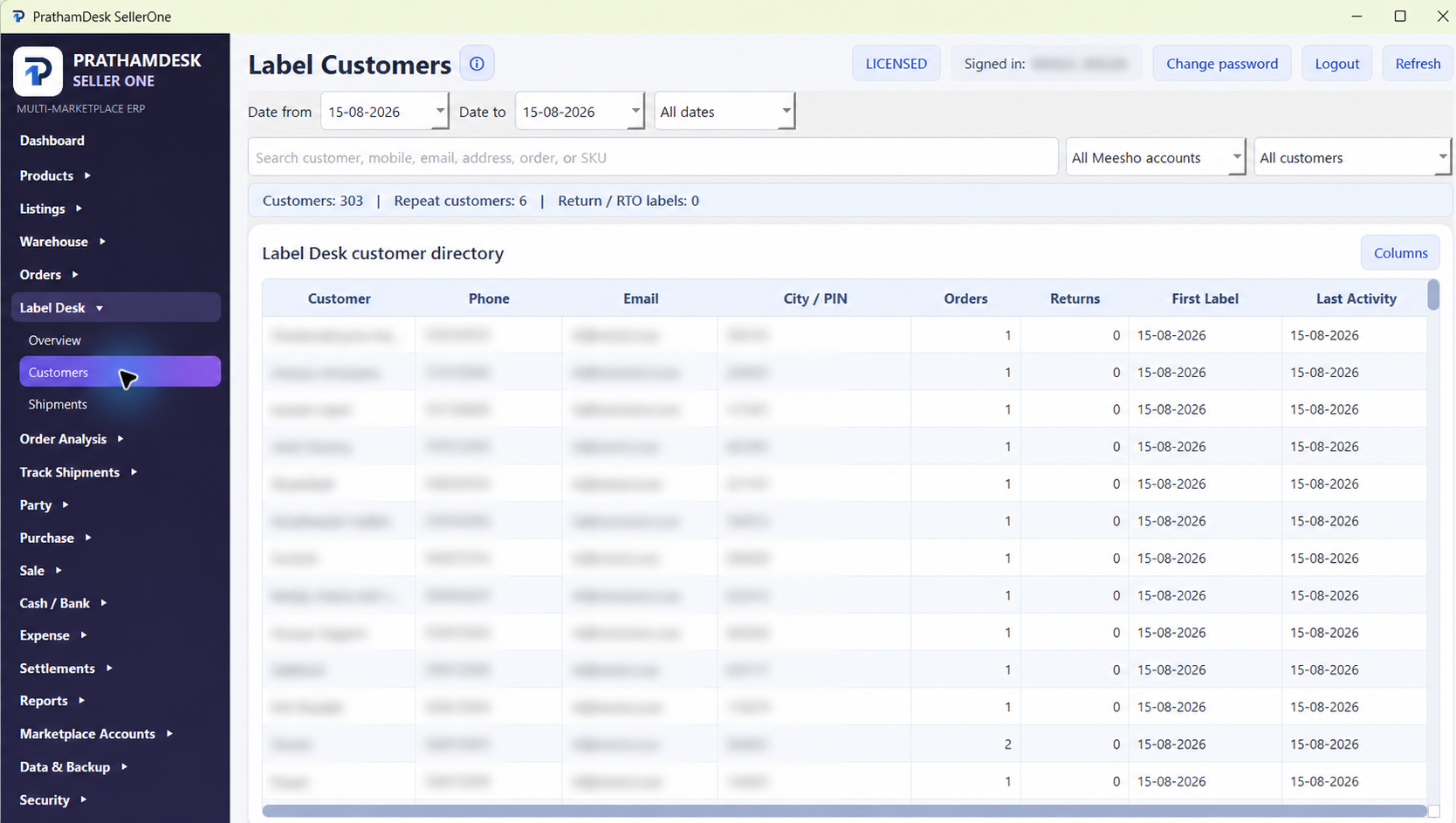
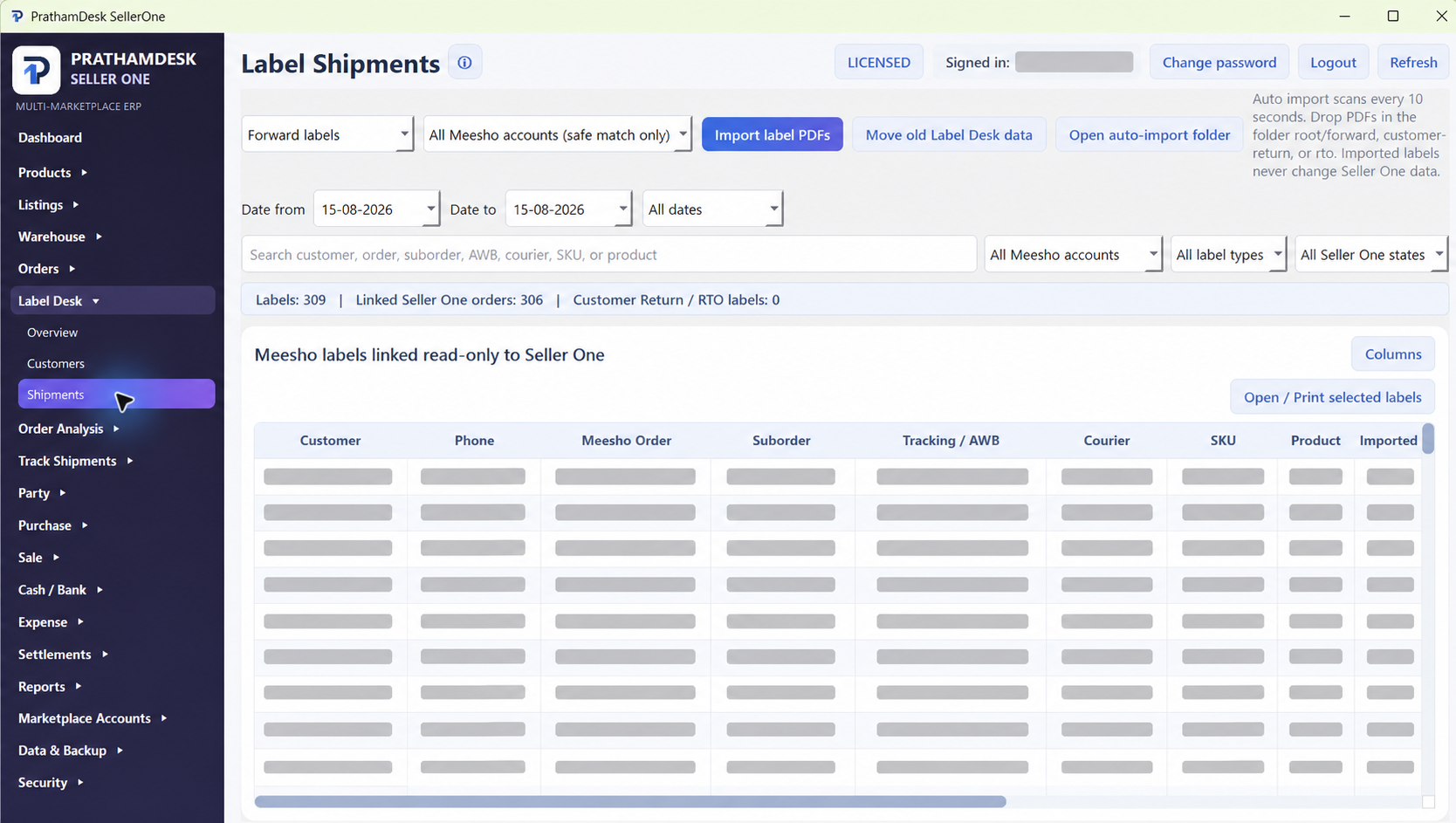
See the SellerOne dashboard and Label Desk workflow, including customer filters and read-only shipment preparation.

SellerOne dashboard overviewA quick tour of the dashboard, stock cards, order status and warehouse view.
Label Desk workflowSee how label records stay linked read-only to SellerOne order details.
02 / PRODUCT GUIDES

A clear first run for every product.

These guides reflect the current product workflows. More screenshots and recordings can be added as each tutorial pack is prepared.

01Industry ERP across Windows and Android

PrathmEx Industry ERP

Choose a Windows and Android setup, configure the industry workspace, then move from daily operations to reports and verified backups.

  1. Choose the device setupSelect Windows only, Android only, Windows + Android or Android + Android.
  2. Set up the industry workspaceCreate the company and maintain masters, users, opening information and operating rules.
  3. Run and reviewKeep daily work moving across the selected devices, then review reports and verified backups.
02Marketplace listing preparation

PrathmEx Listing Tool

Prepare a product source, build controlled listing drafts, review the output and export the approved package for the next step.

  1. Save the product sourceChoose the product image, reusable supporting images and category path.
  2. Build listing draftsGenerate controlled image variants, titles and keyword suggestions in batches.
  3. Review and exportInspect every draft, simulate the queue and export the approved review package.
03Transport operations and accounting

PrathmEx Transport Manager

Start with transport masters, create connected bilties and vouchers, then close the day with registers and protected backups.

  1. Prepare mastersSet up the company, financial year, parties, routes, goods and vehicles.
  2. Run transport workCreate bilties, challans and vouchers while accounts remain connected.
  3. Close and reviewCheck registers, outstanding balances, statements and protected backups.
04Meesho label workflow

PrathmEx Meesho Label Desk

Install the desktop tool, use the built-in trial, prepare Meesho labels and activate the lifetime licence on the intended computer.

  1. Create an accountUse the PrathmEx website account before downloading the installer.
  2. Try for 14 daysInstall the app and start the built-in trial from the activation screen.
  3. Buy lifetimePurchase the one-time lifetime licence and activate it on the intended computer.
03 / NEED HELP?

Need a guided setup for your business?

Tell us which product you are installing and where you are stuck. We can point you to the right plan, setup file or activation step.

Contact support